
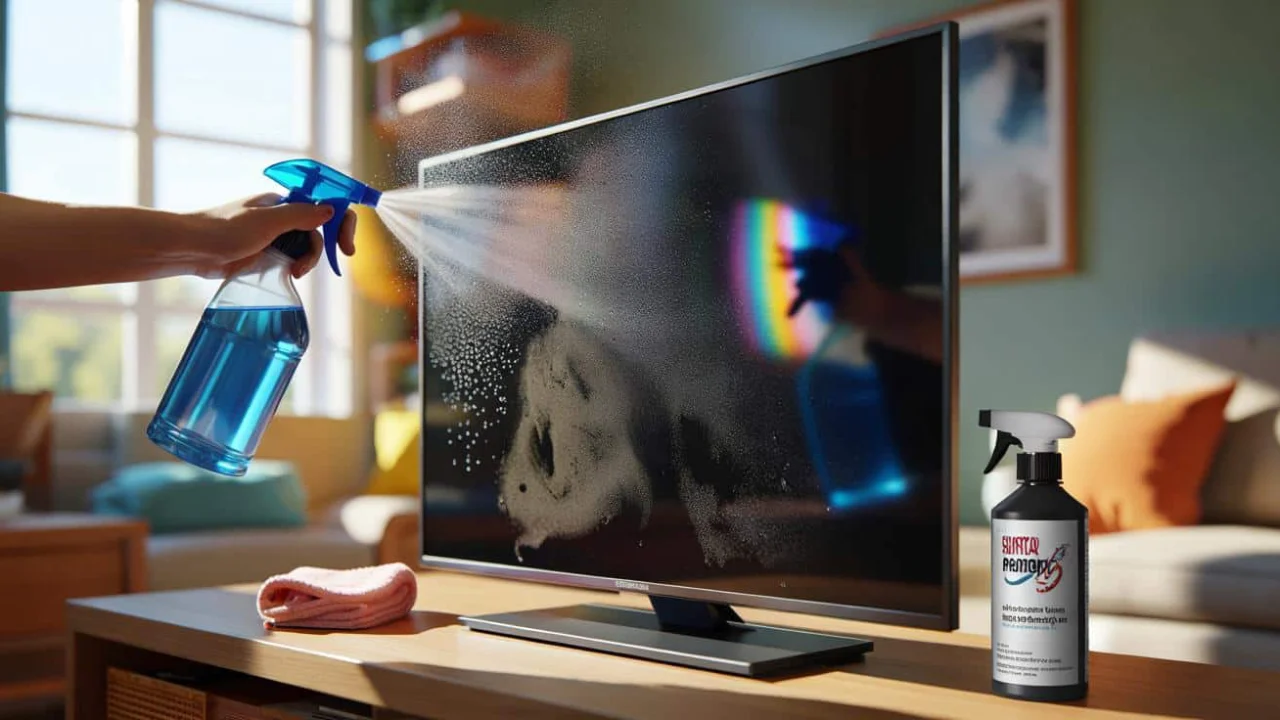
Sarah stared at her 65-inch OLED TV in disbelief. Just yesterday, she’d proudly wiped away her toddler’s fingerprints with the same glass cleaner she used on every mirror in the house. The blue bottle promised streak-free shine, and for a moment, the screen looked perfect.
Now, under the afternoon sunlight streaming through her living room window, she could see the damage. Cloudy patches stretched across the bottom third of the screen like permanent water stains. When she turned on Netflix, those areas looked dull and hazy, completely different from the crisp blacks everywhere else.
Her $2,000 investment was ruined, and she had no idea what went wrong.
The hidden danger of cleaning flat screen TV with household products
Sarah’s mistake is shockingly common. We’ve all grown up watching parents clean old tube TVs with the same Windex they used on windows. Those chunky glass screens could handle anything – ammonia, alcohol, even abrasive paper towels.
But modern flat screens are technological marvels wrapped in delicate coatings. Every LED, OLED, and QLED display relies on ultra-thin anti-reflective films that make colors pop and reduce glare. These microscopic layers are the first casualty when harsh chemicals hit the screen.
“I see this damage at least three times a week,” says Mike Torres, a certified TV repair technician in Phoenix. “People use regular glass cleaner once, maybe twice, and suddenly they’ve got permanent cloudy spots that look like greasy fingerprints that won’t come off.”
The ammonia in most glass cleaners doesn’t just clean these protective coatings – it dissolves them. Drop by drop, spray by spray, the chemicals break down the molecular structure of the anti-glare film. What took manufacturers millions in research to perfect gets stripped away in seconds.
What actually happens when you use the wrong cleaner
Understanding the damage process helps explain why cleaning flat screen TV requires such care. Here’s exactly what unfolds when ammonia-based cleaners hit your screen:
- Initial contact: Ammonia immediately begins breaking down the anti-reflective coating’s polymer bonds
- First wipe: Physical pressure spreads the chemical reaction across the surface
- Drying phase: As the cleaner evaporates, it leaves behind weakened or completely dissolved coating patches
- Permanent damage: The affected areas can never be repaired or restored
The coating damage creates several visible problems that worsen over time:
| Problem | What You See | Why It Happens |
|---|---|---|
| Cloudy patches | Dull, hazy areas that catch light | Coating stripped away unevenly |
| Rainbow halos | Color distortion around dark areas | Partial coating damage creates optical interference |
| Persistent streaks | Lines that won’t disappear no matter how you clean | Complete coating removal in streaked patterns |
| Reduced contrast | Blacks look gray or washed out | Lost anti-reflective properties allow ambient light reflection |
“The worst part is that customers often don’t realize the damage immediately,” explains Jennifer Walsh, who manages warranty claims for a major electronics retailer. “They clean the TV at night, everything looks fine in dim lighting, then the next morning in natural light, they see the destruction.”
The safe way to clean your expensive investment
Proper flat screen TV cleaning doesn’t require fancy products or complicated techniques. The key is using gentle methods that preserve those crucial protective coatings.
Start with the power off and the screen completely cool. Heat makes cleaning solutions more aggressive and increases the risk of coating damage. Always use a microfiber cloth – the same type designed for cleaning eyeglasses or camera lenses.
For basic dust and light smudges, dry microfiber works perfectly. Gently wipe in straight lines from top to bottom, never in circles. Circular motions can create permanent swirl marks that show up under certain lighting conditions.
When you need moisture for sticky fingerprints or stubborn marks, distilled water is your safest bet. Tap water contains minerals that can leave deposits, while distilled water evaporates cleanly. Lightly dampen – not soak – a corner of your microfiber cloth and wipe gently.
For tougher cleaning jobs, mix equal parts distilled water and white vinegar. This solution cuts through oils and grime without the harsh chemicals that damage screen coatings. Apply the mixture to your cloth, never directly to the screen, and work in small sections.
“I tell customers to think of their TV screen like an expensive pair of prescription glasses,” says David Chen, a home theater installation specialist. “You wouldn’t spray Windex directly on your glasses, so don’t do it to your TV either.”
What manufacturers actually recommend
TV manufacturers spend considerable effort warning against improper cleaning, but most people never read those warnings until after the damage is done. Every major brand explicitly prohibits ammonia-based cleaners in their care instructions.
Sony, Samsung, LG, and others all recommend the same basic approach: microfiber cloths with minimal moisture. Some manufacturers sell their own cleaning kits, but these usually contain the same ingredients you can mix at home for pennies.
The warranty implications are serious too. Many manufacturers void warranties if they detect chemical damage to screen coatings. That means your expensive repair or replacement comes entirely out of your pocket.
“We’ve had to deny warranty claims where customers clearly used inappropriate cleaners,” Walsh notes. “The coating damage has a very specific pattern that’s impossible to mistake for manufacturing defects.”
When professional help becomes necessary
Unfortunately, once coating damage occurs, no amount of proper cleaning will fix it. The affected areas will always look different from untouched sections of the screen. In severe cases, the damage becomes so distracting that the TV is essentially unusable.
Some repair shops claim they can restore damaged coatings, but this typically involves completely replacing the screen panel – a repair that often costs more than buying a new TV. Prevention remains the only practical solution.
If you’ve already made the glass cleaner mistake, stop using any chemical cleaners immediately. Switch to distilled water and microfiber to prevent further damage, and consider the experience an expensive lesson in reading manufacturer instructions.
FAQs
Can I use alcohol-based cleaners on my flat screen TV?
No, alcohol can damage screen coatings just like ammonia. Stick to distilled water or manufacturer-approved cleaners only.
What should I do if I already used glass cleaner on my TV?
Stop immediately and switch to distilled water with microfiber cloths. The existing damage can’t be fixed, but you can prevent making it worse.
Are there any commercial TV cleaners that are actually safe?
Yes, but read labels carefully. Look for cleaners specifically designed for LCD/LED screens that are ammonia-free and alcohol-free.
How often should I clean my flat screen TV?
Only when necessary. Excessive cleaning increases the risk of damage. Dust weekly with a dry microfiber cloth, and deep clean only when you see actual smudges or fingerprints.
Will paper towels damage my TV screen?
Paper towels are too rough and can scratch delicate coatings. Always use clean microfiber cloths designed for electronics or optical equipment.
Can I use baby wipes or disinfecting wipes on my TV?
No, these contain chemicals and moisturizers that can damage screen coatings. They may also leave residue that attracts more dirt and dust.


